

Clock Face
Clock Face
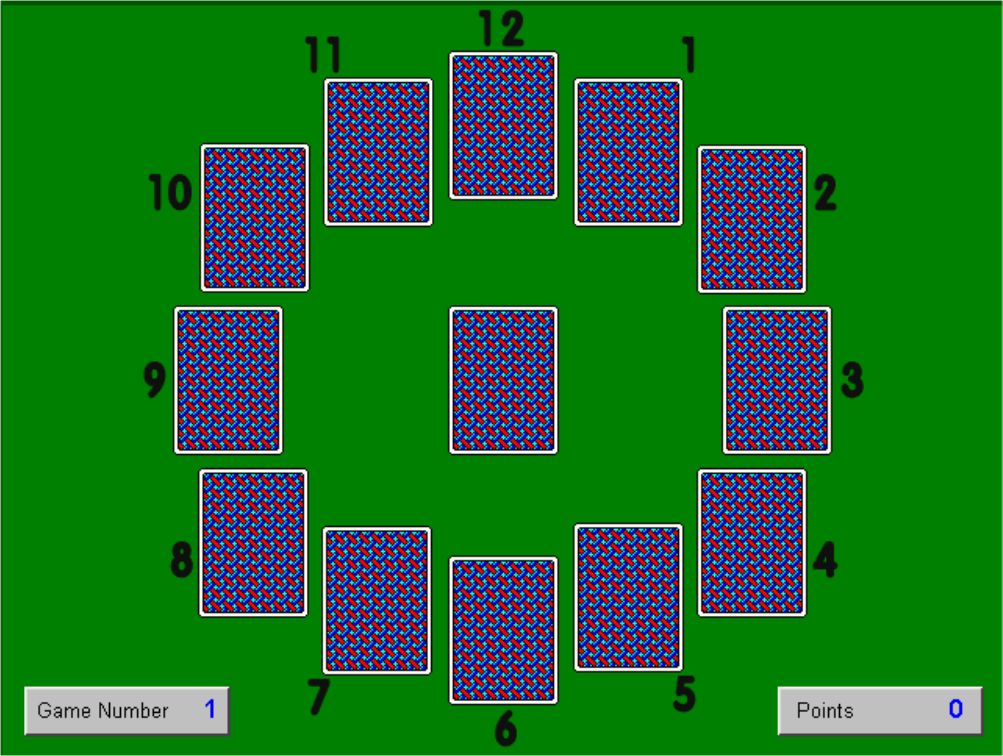
Clock Face is a freeware programme based on a solitaire type game for teaching the time. It is a downloadable file of only 456KB, so it downloads and installs relatively quickly. The programme window has a clock face. Beside each number on the clock is a bundle of four cards, with a card in the centre. You start the game by clicking the card in the centre. The cards have a time written on them eg. “Half past”, “20 Minutes past” etc. You have to drag and drop the card onto the correct position on the clock. If you place the card in the correct position, it goes to the bottom of that pile and you click the top card and repeat the process.
Just as in a normal deck, there are 52 cards – four cards for each position on the clock and four “Clock Centres”. These are cards with a spot in the centre – they are sort of like “lives”. The object of the game is to reveal all 48 time cards before revealing the four “Clock Centres”. The game is over when you have placed all the cards in their correct positions or when you have revealed all four “Clock Centres”. You earn points for every card placed in its correct position, and the faster you do this, the more points you earn.
This programme is easy to download and install and quite easy to play. It is most suitable for middle and senior standards in the primary school as it requires the pupil to know all positions on the clock in analogue time. The game can be downloaded from:
http://www.greece.k12.ny.us/task/freeware/Clock-Face.exe

Spelling Bee
Spelling Bee
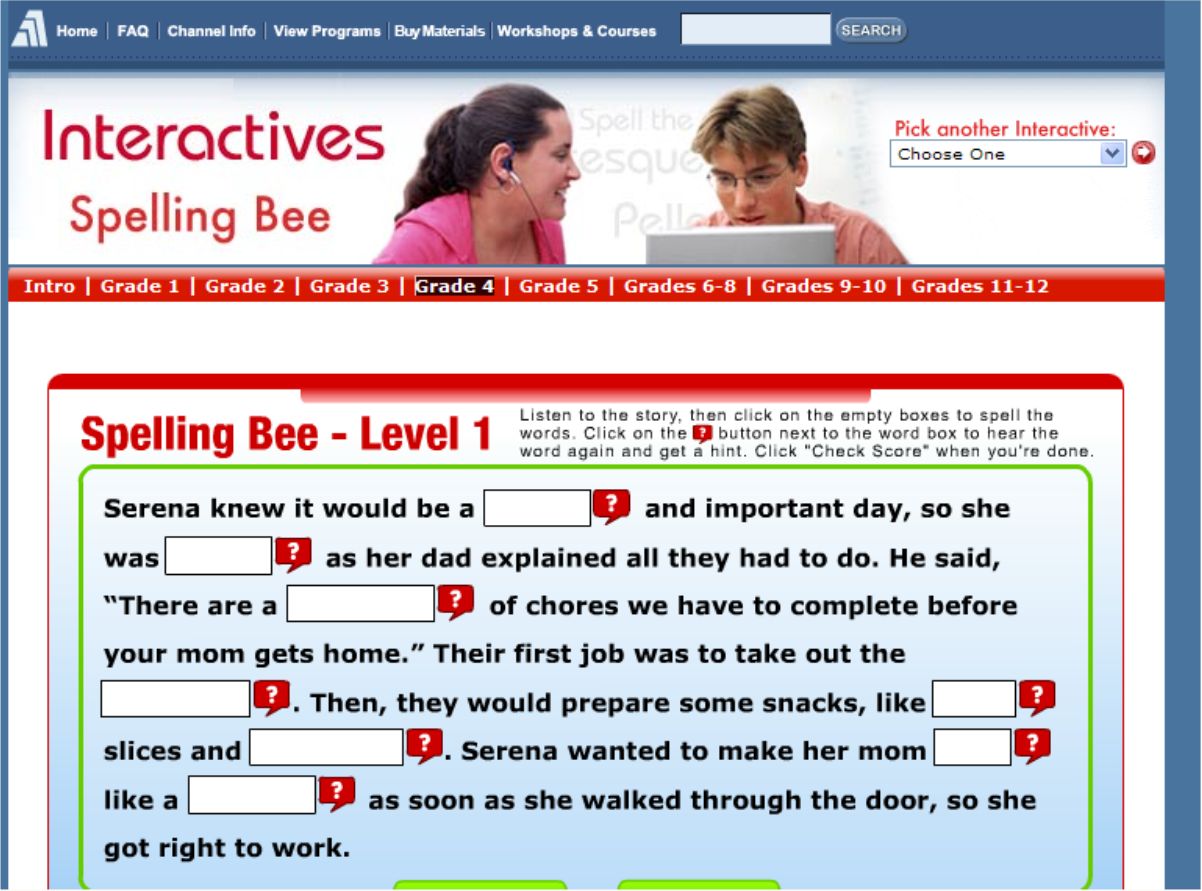
Spelling Bee is a spelling programme that is played online without the need to download anything onto your computer. It is split up into eight sections (Grades 1, 2, 3, 4, 5, 6-8, 9-10, 11-12) with three levels in each section. Each level has a short story with blank words, like a cloze exercise. The story is spoken aloud so that the pupil hears the missing words in context. The pupil then has to type in the missing words. You can choose to hear the missing words as often as you like. In older sections you can be given the word meaning as a hint. When a level is completed you get a score and you can see which spellings you got incorrect. You can then choose to go on to the next level or to re-do the level again.
It should not cause too many difficulties but the story is spoken with an American accent. Because it is also an American based programme there may be some words particular to the US eg. “garbage”. However, these are minor difficulties which do not detract from the overall usefulness of the programme. The programme is most suitable for use in the primary school. The fact that it teaches spellings in a context is an advantage. It is also a programme that can be re-visited again and again to see if spellings learned in the programme have been retained. The programme is also suitable to be used as a class lesson using an IWB. The programme can be accessed at:

IronHead MathFlash 12
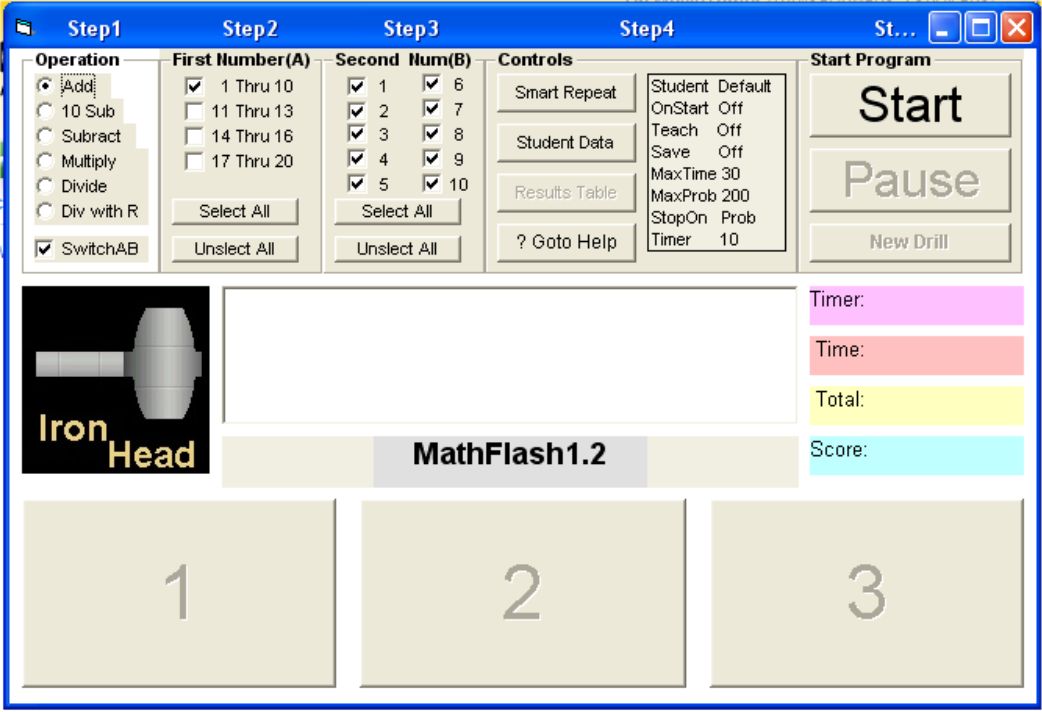
IronHead MathFlash is a freeware maths flashcard programme that can be downloaded as a 2.08MB zip file. It is used to practise the four main mathematical operations of addition, subtraction, multiplication and division. It is suitable for use with all age groups and all abilities in the primary school. Drills can be set up by the teacher to focus on a particular set of tables that are being learned by the pupils. The drills can be set up for pupils to answer a certain amount of questions or to answer as many questions in a particular time. Tables are flashed in large print in the centre of the screen. Three possible options for answers are given underneath. The pupil must click on the correct answer as quickly as possible. When answered correctly, the next flashcard appears immediately.
Pupil records can be set up when using the programme. This piece of freeware should be downloaded and installed by all primary schools. It is easy to download, easy to install and easy to operate. All in all, a very useful piece of freeware. This programme can be downloaded at:
http://www.download.com/IronHead-MathFlash/3000-2053_4-10064706.html

Multiplication Facts
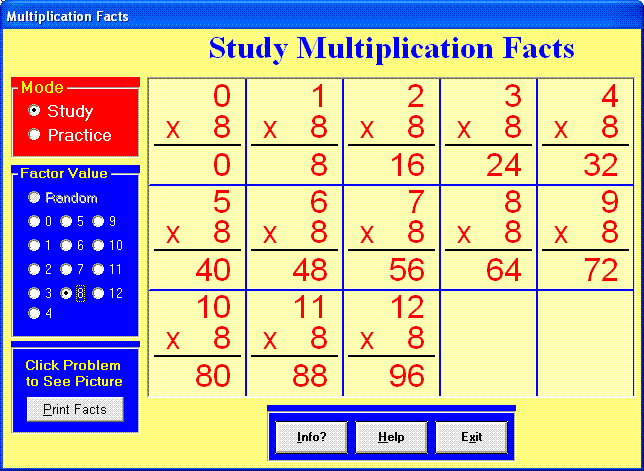
Multiplication Facts is a freeware programe that can be downloaded as a zip file from the internet and installed on your PC. It is a 2.3MB file which downloads quite quickly using a broadband connection. The programme is perfectly suited to middle and senior classes in the primary school to practise multiplication tables. Tables covered are fro 0 to 12. You can choose to study each set of tables first on screen to learn them. You can also click on any particular table (eg. 7×5) and the programme will show a pictorial representation of it. When a pupil is confident that they have learned the particular set of tables, they can practise them with a timed test. You select which set of tables to be tested on and the programme will look for the answers to be typed in. You will get a report on how many were answered correctly in one minute and this will also be expressed as a fraction. You can also choose to practise without the timer. A random selection of tables can be chosen to be tested. For the teacher, a worksheet of tables can be printed off.
This programme would be suitable to recommend to parents to install on a home computer to practise tables at home. This is an easy programme to install, easy to understand and easy to use. It’s definitely one that should be used by primary schools. The free programme can be downloaded at:

Webwise
Webwise is a website on Internet safety created by the NCTE. It deals with many topics surrounding the theme of internet safety: safe surfing; cyber bullying; chatroom safety; safety when texting; safety in social networking websites; risks in file sharing and blogging. It has a downloadable internet safety video. It has resources to help schools with internet safety: sample AUP’s (Acceptable Use Policy); information on internet safety legislation; information on filtering software.
It has two specific learning modules for primary schools: “Surfwise” and “Chatwise”. Surfwise deals with safety when surfing the internet. Chatwise deals with the risks when divulging personal information online. Both modules include notes for teachers, activity sheets accompanying lessons, online animated videos, quizzes and puzzles. The modules are aimed at children aged 6-12 years, so with adaptation they can be suitable for children from first to sixth classes. The site also has numerous publications that can be downloaded: booklets, posters, information for parents. This site should be considered to be used in SPHE lessons and linked to any work being done in the school on internet safety. The site can be accessed at:

Daisy Maths 4
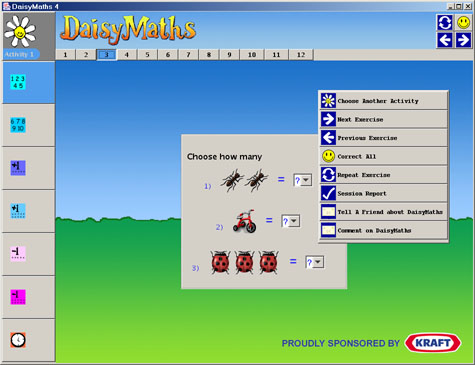
Daisy Maths 4 is a freeware programme giving children lots of practice in learning maths skills. It is aimed at children aged 3 – 12 so it is ideally suited to the primary school. It covers topics such as basic number, counting, addition, subtraction, division, multiplication, tables, fractions, time, graphs, angles. The programme needs a recent version of Java to be installed to allow the programme to work. If you do not have Java, there are instructions on the page to help you download it.
There are 13 different levels of activity and each level covers a range of maths activities. There’s a lot of repetition involved, the rationale being that children need lots of practice to consolidate the learning. By clicking on the daisy in the top left of the screen, you access all the 13 levels of activity. After choosing a level, topics for that level appear on the left of the screen. Click one of the topics to begin the exercises. There are right and left arrows at the top right of the screen to navigate through the exercises. By clicking on the smiley face in the top right of the screen, it lets you know if your answers are correct.
All in all, Daisy Maths 4 is a very useful programme for the primary school. It is suitable for all age groups but perhaps especially for children who experience difficulties in maths and need lots of practice. The programme may be downloaded free from:
Tobernalt Holy Well
Tobernalt Holy Well, situated in Co. Sligo, is one of many holy wells located throughout the country. It is situated in a remote and peaceful location, surrounded by woodland and adjacent to the shores of the beautiful Lough Gill. It is a place of beauty, peace and tranquility. It is also a place of popular religious devotion for many years where people take time out to pray. A website based on the traditions, customs and history of Tobernalt has been created for use as a resource by Seomra Ranga. The site could be linked to Penal times in history, to history of the faith in Ireland or it could be used as the basis for the study of a local holy well. Downloadable classroom resources are provided on the site and teachers are also welcome to upload their own resources to the site.
The site also attempts to list as many Irish holy wells as possible. There are reputed to be approximately 3,000 holy wells in the country. Many are still visited, although many have fallen into disrepair or are forgotten about. If your local holy well is not included in the list, or if the details are incorrect, please let me know by e-mail at holywell@seomraranga.com. The website address is:

Sebran’s ABC Freeware
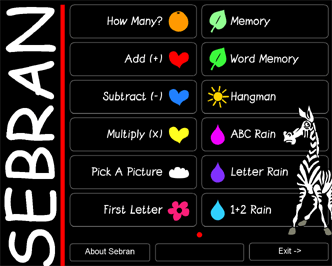
Sebran’s ABC is a piece of freeware that can be downloaded free from the internet. Some exercises in the software are suitable for infants classes, while others are more suited to children in middle standards. Exercises include matching shapes, matching words, hangman, letter rain (good for practising keyboard skills), addition rain, simple number games, addition, subtraction and multiplication games, a word-picture association game and a game to practise initial word sounds. At only 700KB, the file downloads quite quickly with a broadband connection. The software is very colourful and very user friendly. None of the exercises are difficult to learn or understand. In most of the exercises, when a child gets the answer correct a smily face appears; when the answer is incorrect a sad face appears. The software is also suitable for use as a class lesson using an Interactive White Board. All in all, this piece of freeware is a must for all primary schools. Also from the same website, Mini Sebran can be downloaded. This is more suited to pre-schoolers but it may be useful to junior infant teachers for use during the early part of the school year. Both pieces of freeware can be downloaded from:
ICT Tutorials
The latest resources added to the Seomra Ranga website are some ICT tutorials. They are laid out in easy to use format with screenshots of each step in the learning process. Topics covered include making flashcards using Word; making a newspaper using Word; recording voice using Windows Sound Recorder, inserting images into Word documents; creating Word templates; creating pictures using MS Paint; taking digital photos and transferring the photos to a PC; printing digital photographs. Also included are explanations of ICT acronyms, computer terminology as Gaeilge, ICT language to teach to children, file extensions and toolbar icons in Word. There are also two documents full of internet links in all curricular areas: one is for websites with resources for teachers; the other is for interactive websites suitable for children to visit. Hopfully all of these resources will prove helpful to teachers. These resources can be downloaded freely from the site.
ICT Advisors
As many teachers will already know, the government in its wisdom decided that one of the first cutbacks in the present economic difficulties would be to axe the ICT Advisor service with effect from this coming September. All the advisors who are on secondment from schools have been told to return to their classrooms for the beginning of the next school year. This is a bitter blow to many teachers who have found the support and encouragement from these experts in the promotion of the use of ICT’s in the curriculum as invaluable. Little enough support is given to the area of ICT and now that little support has been withdrawn. Like many other teachers, I decided to e-mail the Minister for Education and Science Batt O’ Keeffe (minister_okeeffe@education.gov.ie) to let him know my thoughts on the decision. This is what I said:
“Minister, as a practising primary school teacher with a personal interest in the ICT area, I’m appalled at the decision to cease the service provided by the ICT advisors through the local Education Centres. With politicians continuously talking about the importance of the “knowledge economy”, this decision seems very short-sighted indeed. Without the encouragement and expertise of these highly skilled people, many schools and teachers will fail to value the importance of the integration of ICT into the curriculum.
This indeed is a retrograde step and surely if we want to get back to the days of the “Celtic Tiger” economy the one area that we should be investing in is education and more partciularly the area of ICT as this is the area where many jobs of the future will be available.
On a professional level, both the timing and the way this information was released to both the ICT advisors and the education community was regrettable but probably not co-incidental. Was it necessary to wait until secondary schools were already on holidays and primary schools almost on holidays to announce this cutback in education services? Surely it was well known weeks ago that this decision was imminent? Would it not, therefore have been courteous and responsible to allow the people concerned time and opportunity to seek out other jobs if they so desired? What if any of these people wish to take a career break, are they not too late now to apply for one? This is shoddy treatment indeed from an employer.
In summary, this is a very poor decision – short-sighted, under-handed and one which you may regret in the future.”
Three days later this is the reply that I received from the Minister’s Private Secretary:
“Thank you for your recent e-mail in relation to ICT Advisors. The position is that a Value for Money Review of the ICT Support Service has been finalised by the Department. While concluding that the Service is generally effective and efficient, the Report recognises that each school must plan and execute its own policy for ICT integration across the curriculum. It concludes that now, ten years on, the resources currently utilised by the ICT Advisory Service operating from the regional Education Centres would be better employed focussing supports for ICT leadership and change within each school.
The role of the school’s ICT coordinating teacher will be prioritised as central in the provision of ongoing ICT support and advice to teachers. This is in keeping with international practice to focus on local school-based and peer to peer support as the most effective way to further ICT integration in schools. The Department intends to redirect the funding to support school leadership in integrating ICT within schools and to assist, advise and encourage teachers to continue the process of integrating ICT in each subject area.
Education Centres have been advised that teachers seconded as ICT advisers will return to the classroom and the implementation of these arrangements is being discussed with the relevant parties. Yours sincerely, Ronnie Ryan, Private Secretary”
Now today, we learn of Communications Minister, Eamonn Ryan’s proposals for the provision of broadband services into the future. (http://www.dcmnr.gov.ie/Press+Releases/Minister+Ryan+publishes+
Government+plan+for+next+generation+broadband.htm)
The soundbites from the Minsiters’s press release include:
- “the development of a knowledge economy at the heart of our economic and social policy”
- “to secure Ireland’s future economic prosperity and competitiveness”
- “the successful transformation to a knowledge economy will be a key determinant of economic success “
- “to develop our economy and provide imaginative technological solutions for our society”
All of these are laudable aspirations, yet how will this happen if children do not learn the necessary skills in schools because of the withdrawal of our ICT Advisors and the distinct lack of any meaningful financial assistance from central government in the recent past. Communications Minister Ryan’s press release promises “high-speed broadband (100 Mbits) to every second level school in the country”. That’s right, every “second level school”. No mention of primary schools. Good luck to the second level schools if they can manage to get better broadband infrastructure. However, primary education is at a loss again. No more ICT Advisors. And now no speedy broadband. The ICT future looks bleak.