


Welcome to Seomra Ranga, the Hub for Primary School Resources. For the overseas visitors “Seomra Ranga” means “classroom” in the Irish language.
Seomra Ranga has been successfully providing tried and tested resources for primary school classrooms since 2007. Since that time, the site has gradually built up a strong following amongst educators as a repository of quality teacher-created resources. The resources on the site, which support all areas of the curriculum, are arranged in accordance with the curricular provisions of the Irish primary school….

Spelling Website
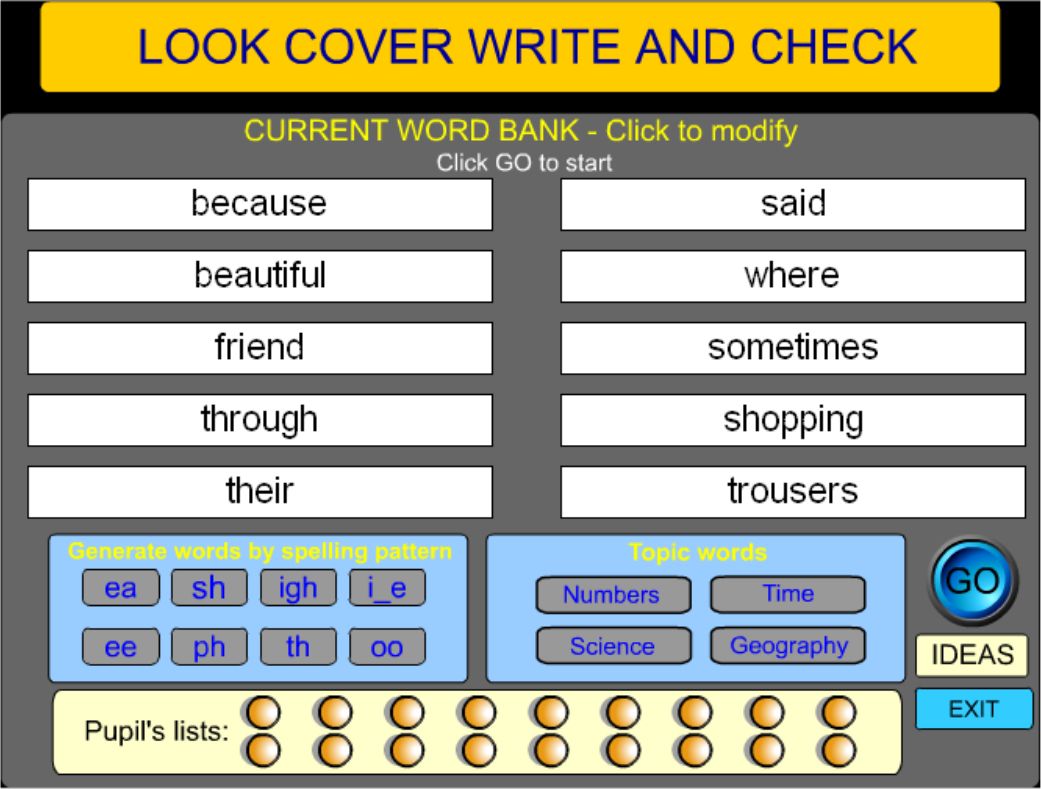
“Look, Cover Write and Check” is a nice online spelling programme demonstrating the commonly used methodology for learning spellings. There is no software to download so the game is played online. There are sets of word lists incorporated into the programnme, each list with ten words to learn. Some lists are based on spelling patterns eg. -ea, sh-, -igh. Others are based on topics eg. numbers, science, time. It also has “Pupil’s Lists”, some of which are random spellings, others are themed lists like art words and computer words. Once you select a list you click “Go” to begin the game. A new window appears which lets you look at the first spelling to learn it. You then click the “Cover” button and a hand comes across the screen and covers the spelling. You then have to type the spelling in a box and click “Check” to see if you typed it correctly. If you get the spelling correct, you move on to the next spelling (again using the “Look, Cover, Write and Check” approach). If you get the spelling wrong you can look at it again, cover it and try to write it again.
While the programme is quite simple to use, it is also quite effective in teaching children the methodology to use when learning spellings. This programme could also be useful to use on an Interactive White Board to teach a class lesson on spelling. The programme can be accessed at:
http://www.amblesideprimary.com/ambleweb/lookcover/lookcover.html
Irish Famine Book
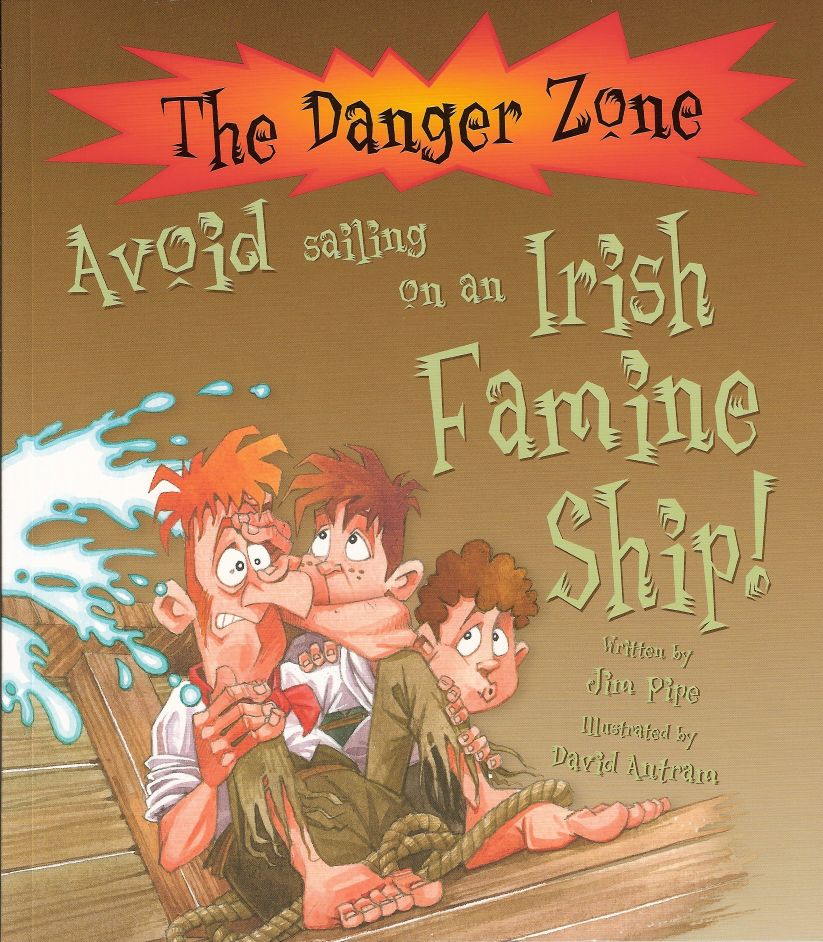
“Avoid Sailing on an Irish Famine Ship” is a newly published book based on the period during the Great Irish Famine of the 1840’s. It is part of “The Danger Zone” series of historical fact books. What’s different about this book on the famine is its treatment of the subject. Very often teaching about the Irish famine can be a bit boring for the pupils, however much the teacher tries to liven up the subject. However, this book tells the story of the famine in a simple, colourful and yet apparently historically accurate way. While you may think that the book title and cover illustration minimises the true significance of the famine to Ireland, nevertheless the book does treat the theme well and is very suitable for pupils in the middle and senior classes in the primary school.
In terms of content the book is well laid out and follows a logical sequence of events. The reader is told that you are Brian Walsh, living in the West of Ireland in the 1840’s and the story of your life during the famine period is re-created. All the important events of the famine are included in the book: the reliance on the potato for food; the absentee landlord system; the workhouse; the potato blight; the famine ships; famine fever; coffin ships; arrival in the new world. The book is full of colourful illustrations, some of them almost comic book style. Yet these do not diminish the story being told. Instead, I feel that they may serve to make the theme of the famine more accessible to primary school aged children. Each chapter is given a double page in the book. The chapter tells the story of how you, Brian Walsh, are affected by the events of the famine as they are happening. Each chapter also has a “Handy Hint” box with tips for Brian as to how he might survive the events in the chapter. A glossary is included at the back of the book explaining some of the terms used in the book. An index is also included.
At only 32 pages long, the book is quite short, nevertheless I still found myself learning things about the famine that I didn’t know: eg. People on famine ships were allowed to cook food on deck using wooden boxes lined with bricks. Such fires claimed many lives; Some famine ships sailed to Canada instead of New York as it was cheaper; During the five famine years 50 ships sank as a result of hitting icebergs. Pupils will be interested in the fact that in one workhouse 150 boys had to share 24 beds!
The book is written by Jim Pipe, who lives in Dublin, and illustrated by David Antram. For a book that is about the Irish famine, it is ironic that it is published in Great Britain and printed and bound in China! Other titles in the series are: “Avoid Sailing in the Spanish Armada”; “Avoid Exploring with Captain Cook”; “Avoid Sailing with Francis Drake”; “Avoid Sailing on the Titanic”; “Avoid Becoming a Pirate’s Prisoner”; “Avoid Sailing on a 19th Century Whaling Ship”.
The ISBN of the softcover version of the book is 978-1-905638-78-9. I bought my copy from Dubray books for €9.00. I’m sure it’s available in most bookshops and it’s well worth having in your classroom if you are thinking of teaching about the famine.
Children’s Books Forever

Children’s Books Forever is a website that has free downloads of children’s books. The books are downloadable in .pdf format, so you need to have Adobe Acrobat Reader installed on your PC/Laptop in order to view the books. The site includes picture books and books for early readers all by American author Hans Wilhelm. The books are intended for use as a whole class exercise using a digital projector or IWB. They can also be included into Powerpoint files. The illustrations in the books are high quality and attractive. The print in some of the books is quite small and some children may have difficulty reading it from a distance. However, it may be possible to organise the class to be near the whiteboard when reading one of these books. It’s a site well worth a visit and is probably most suitable for the junior end of the primary school. You can view the books at:
European Geography Tutor
European Geography Tutor
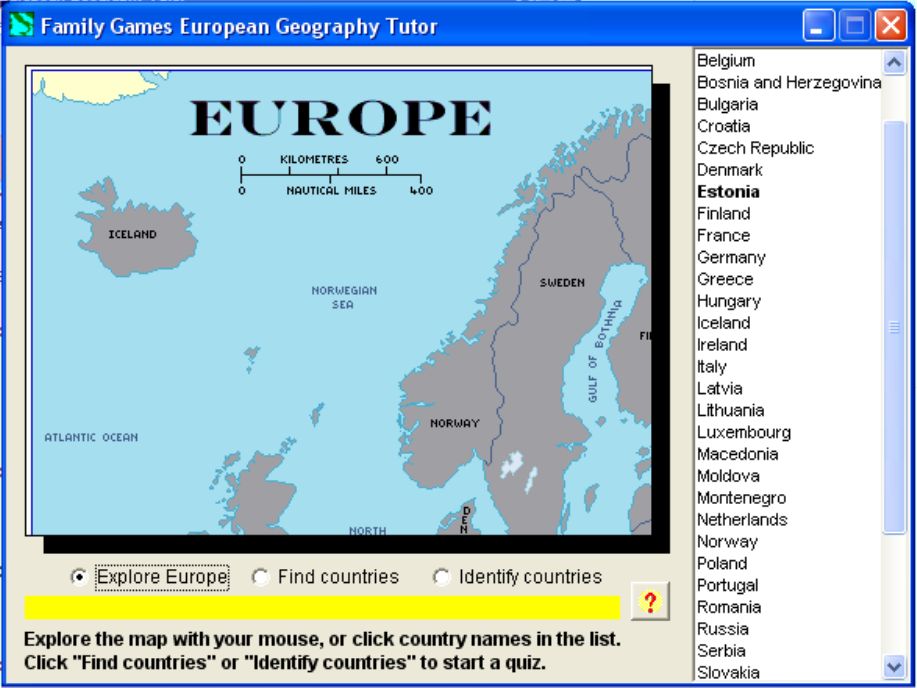
European Geography Tutor is a piece of freeware available for download from the internet. At 432KB, it’s a relatively small file for downloading. It downloads quickly and installs quickly. The programme window has a map of Europe on the left and a list of 39 European countries on the right. There are three ways to use the programme. Firstly, the pupil can simply explore the countries of Europe. This is done by simply moving the mouse over a country, which highlights the country in colour. The name of the country is written on the country and it is also highlighted in the country list on the right. When pupils are comfortable with the names of the countries, they can take a take a quiz. The programme asks pupils to find a country in random order by clicking on the country on the map. Alternatively, a second quiz highlights a country on the map and asks pupils to identify the country in the country list.
The programme is simple enough to learn and pupils should have no difficulty understanding how to play the game. However, the three activites mentioned above are the only activities which pupils can play, so there is little variety in the activities. Another drawback is that the programme window is in the centre of the screen and cannot be maximised. This means that the pupil cannot view the map of Europe in its entirety and must scroll up/down or left/right to find a country. Nevertheless, teachers may find the programme useful to help pupils learn the countries of Europe. The programme can be downloaded at:
http://www.greece.k12.ny.us/task/freeware/European_Geography.exe
Clock Face
Clock Face
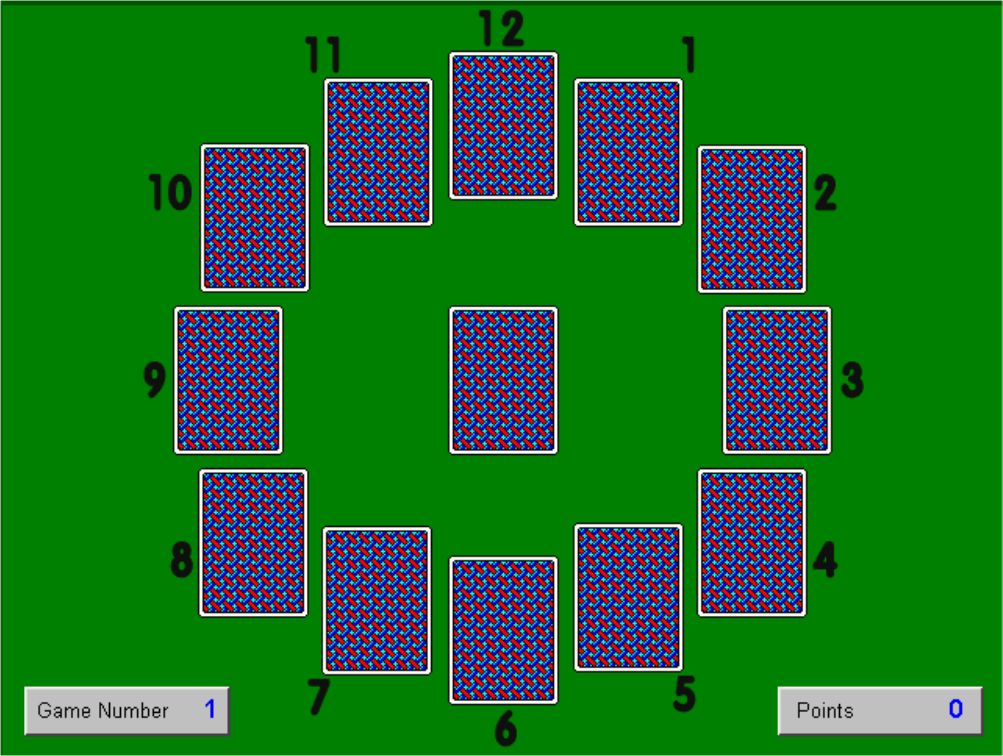
Clock Face is a freeware programme based on a solitaire type game for teaching the time. It is a downloadable file of only 456KB, so it downloads and installs relatively quickly. The programme window has a clock face. Beside each number on the clock is a bundle of four cards, with a card in the centre. You start the game by clicking the card in the centre. The cards have a time written on them eg. “Half past”, “20 Minutes past” etc. You have to drag and drop the card onto the correct position on the clock. If you place the card in the correct position, it goes to the bottom of that pile and you click the top card and repeat the process.
Just as in a normal deck, there are 52 cards – four cards for each position on the clock and four “Clock Centres”. These are cards with a spot in the centre – they are sort of like “lives”. The object of the game is to reveal all 48 time cards before revealing the four “Clock Centres”. The game is over when you have placed all the cards in their correct positions or when you have revealed all four “Clock Centres”. You earn points for every card placed in its correct position, and the faster you do this, the more points you earn.
This programme is easy to download and install and quite easy to play. It is most suitable for middle and senior standards in the primary school as it requires the pupil to know all positions on the clock in analogue time. The game can be downloaded from:
http://www.greece.k12.ny.us/task/freeware/Clock-Face.exe
Spelling Bee
Spelling Bee
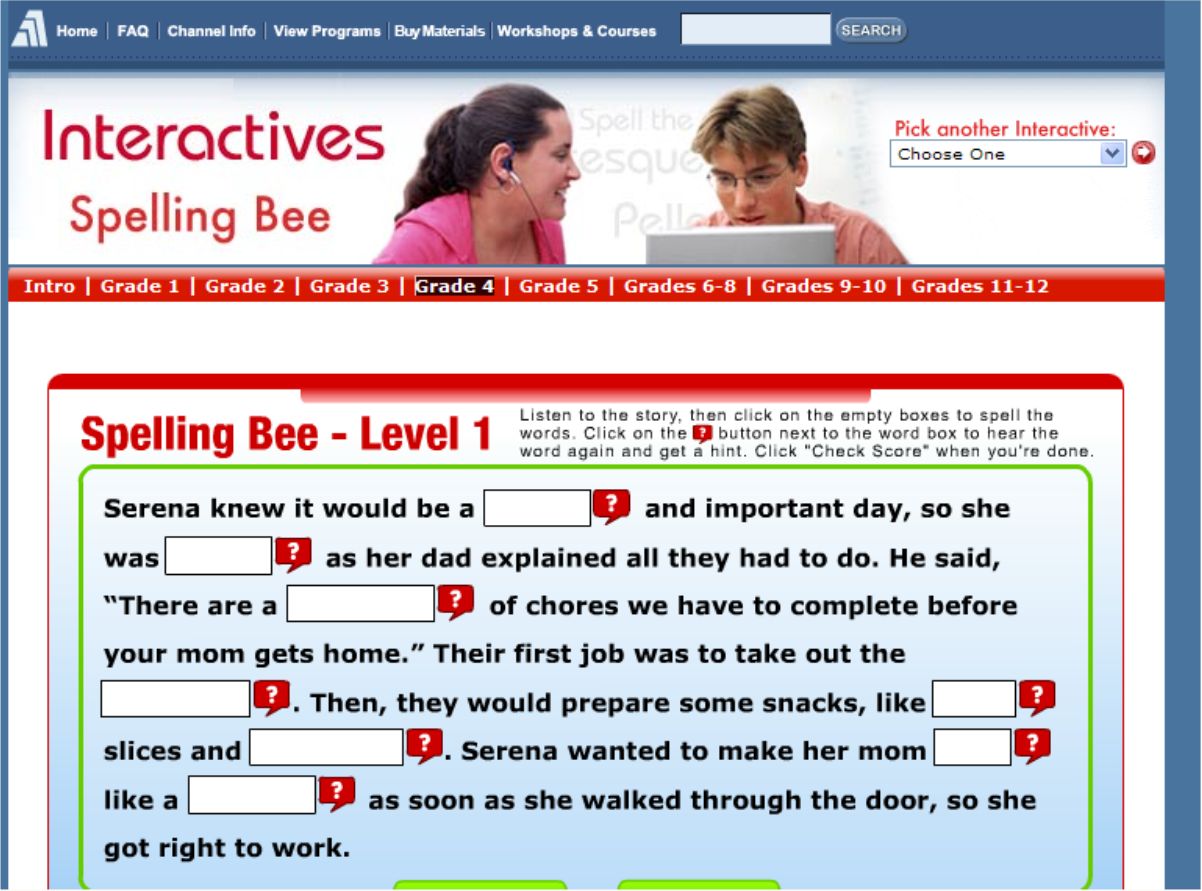
Spelling Bee is a spelling programme that is played online without the need to download anything onto your computer. It is split up into eight sections (Grades 1, 2, 3, 4, 5, 6-8, 9-10, 11-12) with three levels in each section. Each level has a short story with blank words, like a cloze exercise. The story is spoken aloud so that the pupil hears the missing words in context. The pupil then has to type in the missing words. You can choose to hear the missing words as often as you like. In older sections you can be given the word meaning as a hint. When a level is completed you get a score and you can see which spellings you got incorrect. You can then choose to go on to the next level or to re-do the level again.
It should not cause too many difficulties but the story is spoken with an American accent. Because it is also an American based programme there may be some words particular to the US eg. “garbage”. However, these are minor difficulties which do not detract from the overall usefulness of the programme. The programme is most suitable for use in the primary school. The fact that it teaches spellings in a context is an advantage. It is also a programme that can be re-visited again and again to see if spellings learned in the programme have been retained. The programme is also suitable to be used as a class lesson using an IWB. The programme can be accessed at:
IronHead MathFlash 12
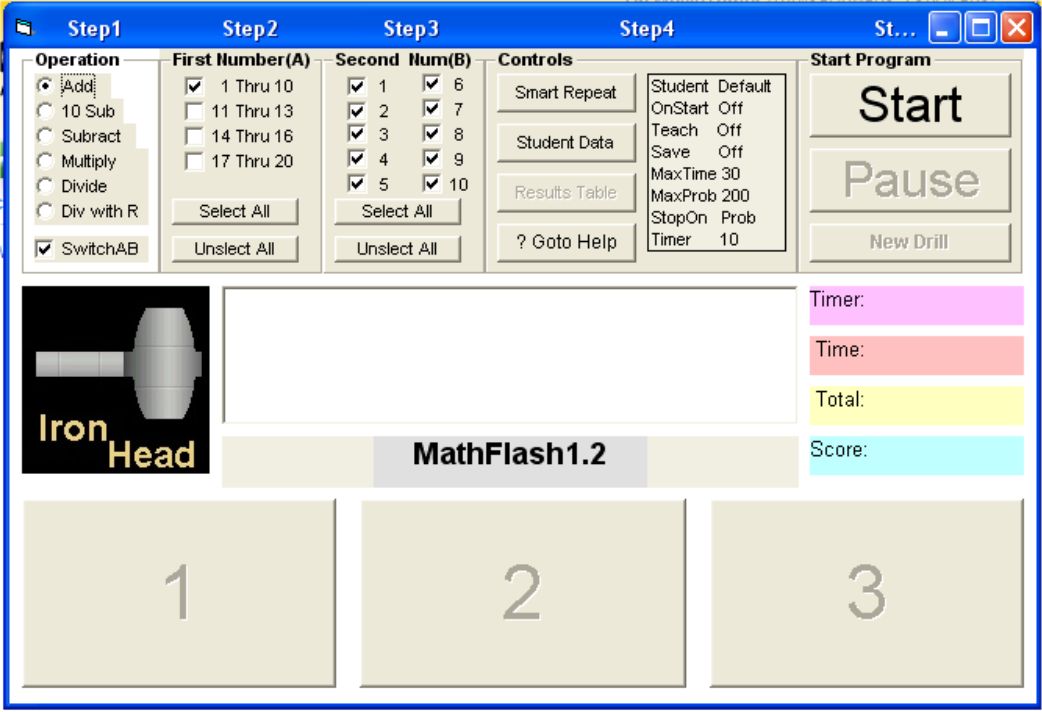
IronHead MathFlash is a freeware maths flashcard programme that can be downloaded as a 2.08MB zip file. It is used to practise the four main mathematical operations of addition, subtraction, multiplication and division. It is suitable for use with all age groups and all abilities in the primary school. Drills can be set up by the teacher to focus on a particular set of tables that are being learned by the pupils. The drills can be set up for pupils to answer a certain amount of questions or to answer as many questions in a particular time. Tables are flashed in large print in the centre of the screen. Three possible options for answers are given underneath. The pupil must click on the correct answer as quickly as possible. When answered correctly, the next flashcard appears immediately.
Pupil records can be set up when using the programme. This piece of freeware should be downloaded and installed by all primary schools. It is easy to download, easy to install and easy to operate. All in all, a very useful piece of freeware. This programme can be downloaded at:
http://www.download.com/IronHead-MathFlash/3000-2053_4-10064706.html
Multiplication Facts
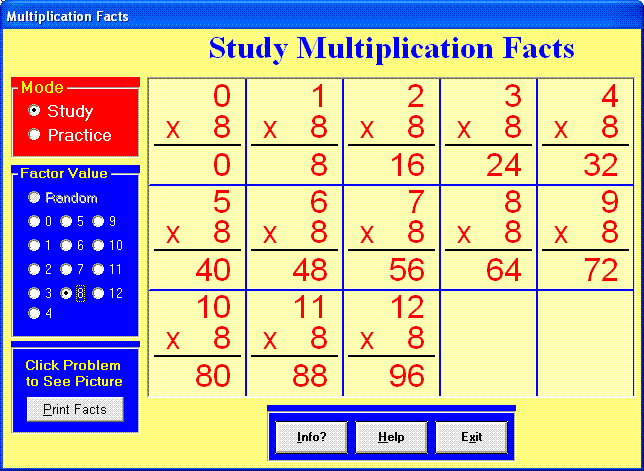
Multiplication Facts is a freeware programe that can be downloaded as a zip file from the internet and installed on your PC. It is a 2.3MB file which downloads quite quickly using a broadband connection. The programme is perfectly suited to middle and senior classes in the primary school to practise multiplication tables. Tables covered are fro 0 to 12. You can choose to study each set of tables first on screen to learn them. You can also click on any particular table (eg. 7×5) and the programme will show a pictorial representation of it. When a pupil is confident that they have learned the particular set of tables, they can practise them with a timed test. You select which set of tables to be tested on and the programme will look for the answers to be typed in. You will get a report on how many were answered correctly in one minute and this will also be expressed as a fraction. You can also choose to practise without the timer. A random selection of tables can be chosen to be tested. For the teacher, a worksheet of tables can be printed off.
This programme would be suitable to recommend to parents to install on a home computer to practise tables at home. This is an easy programme to install, easy to understand and easy to use. It’s definitely one that should be used by primary schools. The free programme can be downloaded at: