


Welcome to Seomra Ranga, the Hub for Primary School Resources. For the overseas visitors “Seomra Ranga” means “classroom” in the Irish language.
Seomra Ranga has been successfully providing tried and tested resources for primary school classrooms since 2007. Since that time, the site has gradually built up a strong following amongst educators as a repository of quality teacher-created resources. The resources on the site, which support all areas of the curriculum, are arranged in accordance with the curricular provisions of the Irish primary school….

Sneeze Safe
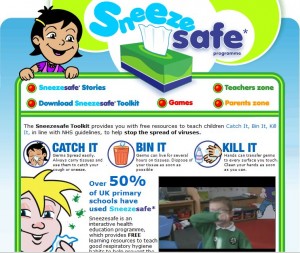
Sneeze Safe is an English based website which provides you with free resources to teach children about “Catch It, Bin It, Kill It”, to help stop the spread of viruses. It is put together by Kleenex, the tissue manufacturer, for obvious reasons. If you can get over the fact that it is produced by a commercial enterprise with an obvious vested interest, the website actually has good resources. I recently used it with my 2nd/3rd class and they really enjoyed watching the videos. There are stories in cartoon format which help pupils to learn about germs and colds with the help of Suki Sneeze and Nathan Noseblow. They also help pupils to find out how tissues can help prevent colds from spreading. There are some easy games for pupils to play to re-inforce what they have learned about using tissues to prevent the spread of viruses. There is a Teacher Zone with resources and lesson plans to download. There is also a Parents’ Zone which gives ideas and tips about how they can help.
Although I used it with my Rang III, I certainly wouldn’t really use it with pupils any older than that. This website is more suited to younger pupils who would really love this and they would learn in a really fun and interactive way. It looks great on an Interactive White Board. It is well worth recommending. Visit the Sneeze Safe website.
Working With iPods – What Is It Like?
Before Christmas, I asked my pupils to describe, using only one word, what it was like working with iPods in the classroom. We discussed the importance of using the best word to describe what it was like for them using this technology in the classroom. Words that came up were: exciting, fantastic, excellent, brilliant and…
Job Situation Then and Now
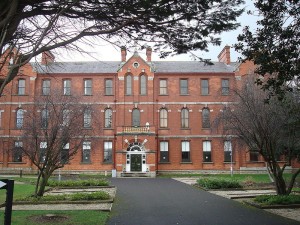
Carysfort College of Education, Blackrock, Co. Dublin, closed as a Teacher Training College in 1988
There is much discussion and debate at the moment arising out of the current difficult job situation, especially for young teachers who have recently qualified or are about to qualify this year. Many young teachers are finding it increasingly difficult to find teaching jobs for any great length of time, not to mention a maternity leave, temporary or permanent job. Many are having to make do with a couple of days substitute work here and there and, if they are lucky, a week’s work in one school. Certainly, the prospects look bleak. However, this got me thinking about when I started out on my teaching career, and the parallels with today’s situation are very similar.
I graduated with my B.Ed. from Carysfort College of Education in 1988 with very similar job prospects. I spent my first year subbing in many different schools. Both myself and a friend from college got a flat in Dublin and we walked the streets of Dublin, visiting many different primary schools with our one page CV looking for any subbing work that was going. This was pre-mobile phone era so we kept a sharp ear out for the public telephone downstairs which served all of the flats in the house, hoping to hear it ring with the offer of work. Similar to the job situation of today, we were delighted to get a couple of days teaching here and there and thought we had hit the jackpot when we got a whole week’s work in a school. However we also had a lot of “time off” and had to visit the Dole Office in Werberg Street in the city centre.
When we were lucky enough to get some work, getting paid was the next hurdle to be overcome. At that time there was a whole process to be gone through in order to get paid: the principal filled out the substitute form (sometimes this had to be sought from the priest) and signed it; then I signed it and returned it to the principal; the principal handed it over to the priest whose job it was to sign it and then forward it to the Department (you always hope that it did not sit on the priest’s desk for weeks!); the Department then issued the cheque and forwarded it to the priest!; the priest gave the cheque to the school principal who then forwarded the cheque on to the substitute. It was not uncommon to receive the cheque six weeks after leaving a school. Consequently, neither my friend nor myself had a penny to our name, living on overdrafts. I remember one principal who understood the financial position of substitutes and used to give me an “advance” out of school funds to tide me over until the substitute cheque came through.
I was lucky enough then to get a maternity leave substitute work which guaranteed a regular income for eighteen weeks, the length of maternity leave at the time. (this leave is now twenty-six weeks) After that it was back to subbing. I managed to get a temporary position for a full year during my second year out of college. I recently found an old pay cheque for that year and discovered that I was earning in the region of £340 net pay per fortnight! However, after that year it was back to subbing again, which was like starting out all over again. I was actually in my fifth year teaching before I finally managed to get my first permanent position.
I relate this story as a sort of analogy to the present job climate and as a sign of hope to the younger teachers of today, struggling to find work. The economic situation in the late eighties was very similar to the present. The country was in the doldrums and mass emigration was rife. I even got a US visa at the time and considered moving to the States. However, I persevered and eventually managed to get regular work. I hope that the younger teachers of today will not get too despondent with the work situation and realise that they will eventually, like me, manage to get a permanent position if they just remain positive and hopeful. We need younger teachers in the profession. They breathe life and energy into the profession and pass on their new ideas and methodologies to colleagues in schools. The country will always need good teachers, so I just hope that young teachers will hold firm in their beliefs that this is the profession for them.
Inside My Body
Flashcards of the main organs found inside the body. Includes blood, bones, stomach, kidneys, liver, veins, arteries etc. (.pdf file 877KB) Download File…
Story Plan
Simple story plan to help pupils do preparation work for a piece of creative writing. Pupils should get into the habit of planning their story before they start so that they have an idea of the overall story, including all its components, before they commence the writing process. (.pdf file 5.45KB) Download File…
Bookmark 04
Printable bookmarks with the motto “Read a Good Book”. Bookmarks are a good incentive for reading for pleasure. (.pdf file 168KB) Download File…
Phonics Poster – ar Words 01
Phonics poster showing examples of words with the “ar” pattern. (.pdf file 49.7KB) Download File…
Mash.ie
Many teachers take a thematic approach to teaching and like to plan a scheme of cross-curricular work around a particular topic. Similarly, many students teachers are asked to plan their lessons for teaching practice around a particular theme. Whatever your reason for planning classroom lessons around a theme, the hard work is always finding resources on the internet to assist in the teaching of the theme in the classroom. There are such a vast array of resources on the internet geared towards teachers and primary school pupils, a lot of planning time can be wasted looking for what is suitable, appropriate and works in the classroom.
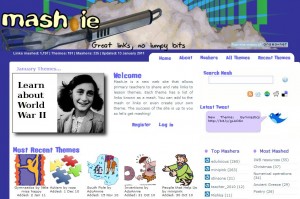
Mash.ie, an Irish website, is a great place to begin your search for resources on the internet about a particular theme. The site is organised into themes and under each theme are a list of links to websites (known as a Mash) where resources for that theme can be found. This gives the teacher a great starting point when looking for resources on a theme. Most of the links provided in the themes have been submitted by practising teachers, so, in essence, they are tried and tested and come recommended by the teachers. At the moment there are 191 different themes on the site with almost 1,200 links to resources for those themes. The available themes include Autism, South Pole, Inventions, People that Help Us, Water, Recycling, Phonics, Gaeilge, IWB Resources, Explorers, Minibeasts, Space, World War II, Greece, Planets and lots more.
Teachers who have prepared a theme themselves and have accumulated some links to websites are also asked to share those links through the Mash.ie website so that all teachers can benefit from the collective wisdom. The site is blog-based, so you only need to register to upload your own links. If the theme you have researched is not on the website, then you can start off a brand new theme. This is a great time-saving website and deserves to be supported by teachers. This website is brought to you by Anseo.net